Keep the two tool families distinct
The reference separates punches and dies. Browse the appropriate list and inspect the selected record rather than relying only on a familiar name. The profile preview helps identify the tool but does not validate its condition.
Use the reference screens below alongside this explanation. Select an image to inspect its original size.
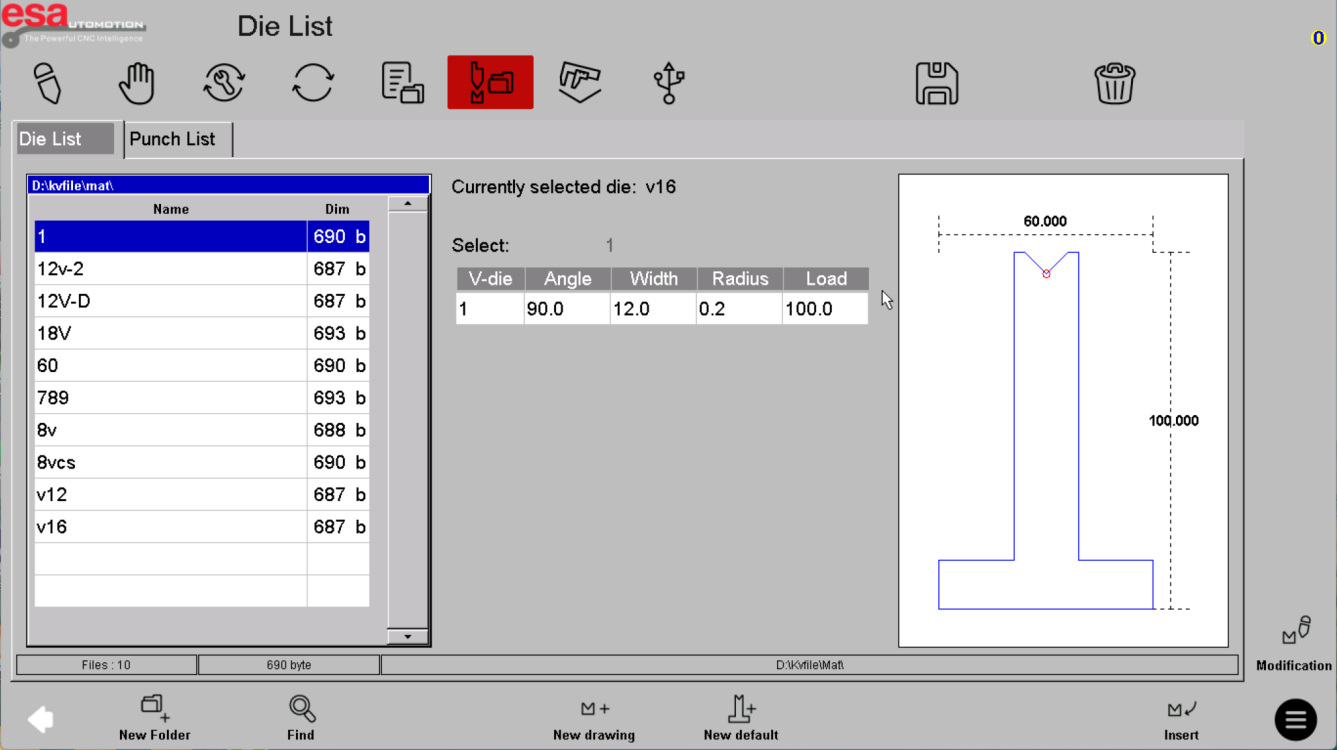
Compare geometry and rating
Check angle, height, die opening, radius and the documented load rating against the tool supplier's drawing. Confirm units and tool identity. Do not use a generic library entry as proof that an unmarked physical tool is suitable.
Use the reference screens below alongside this explanation. Select an image to inspect its original size.
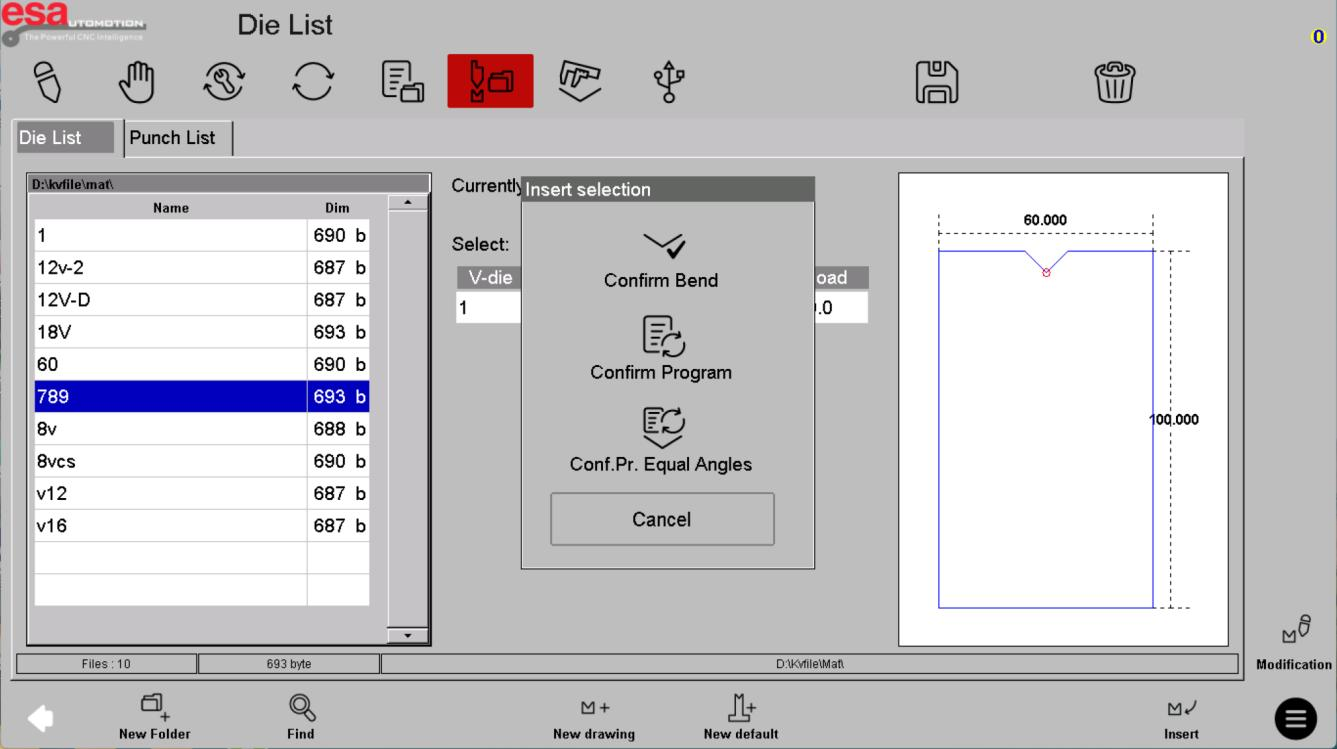
Understand what insertion does
An Insert action brings a record into the software context shown by the dialog; it does not install or clamp tooling. Confirm the target and follow the separate approved physical setup procedure. Recheck program references after changing a library entry.
Use the reference screens below alongside this explanation. Select an image to inspect its original size.
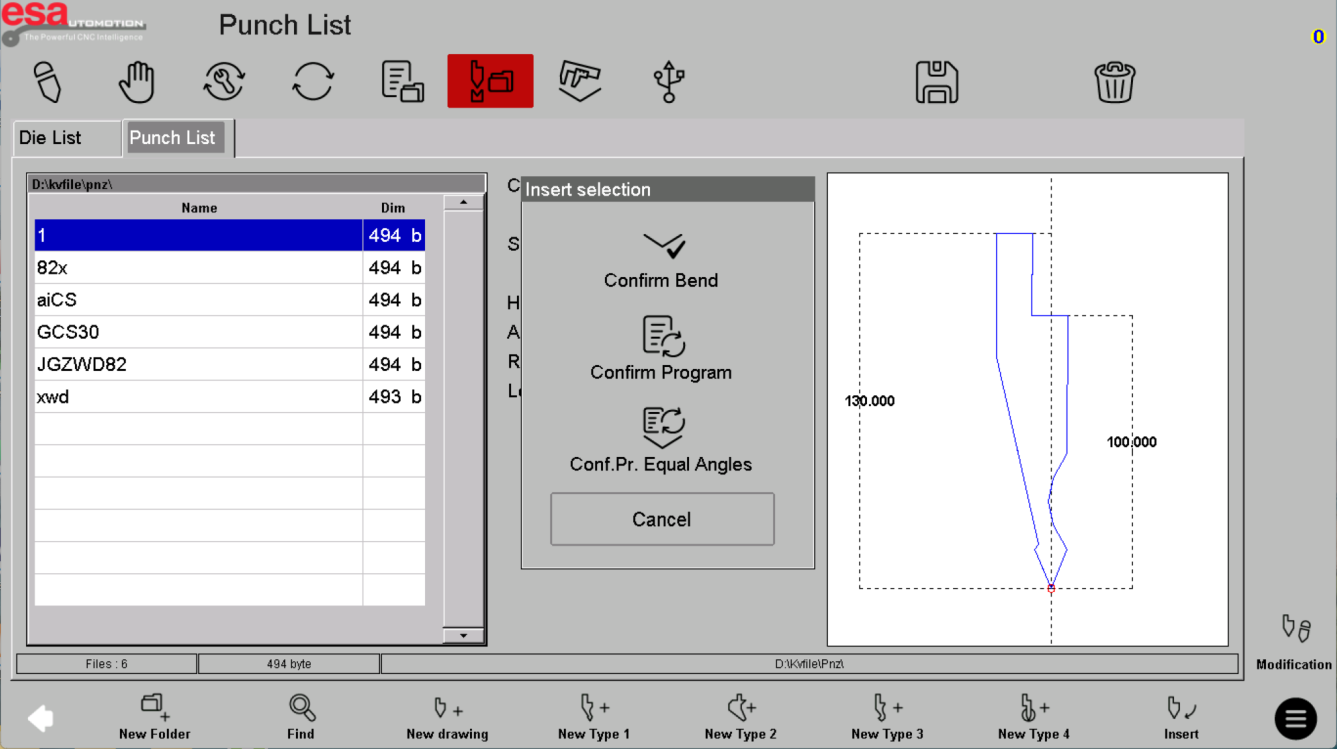
Before using this on your machine
- Confirm S840 versus S840 W and the installed software revision.
- Check that the documented functions match your licenses and fitted axes.
- Protect released program and tool-library versions before changes.
- Use qualified support for motion, reference, force and safety-related settings.
S840 W specifications and option notes →
Discuss your control requirements →BENDRYX educational commentary with permission-based S840 reference screenshots. This lesson is not a machine certification, a commissioning instruction or a replacement for the supplied operating manual.